The quickest rog azoth spacebar stabilizer rattle fix is a three-part correction: re-seat the stabilizer wire into both housing clips, apply a thin band-aid (Holee mod) under the wire ends, and switch from thin Krytox 205g0 to a thicker dielectric grease on the wire bends. If your Azoth started ticking, pinging, or rattling on the spacebar after you lubed it, the cause is almost always too little grease on the wire, an unseated clip, or a missed wire-to-housing contact point — not a defective stabilizer. Below is the exact 2026 walkthrough I use on every Azoth that lands on my bench.
Why your Azoth spacebar rattles after lubing
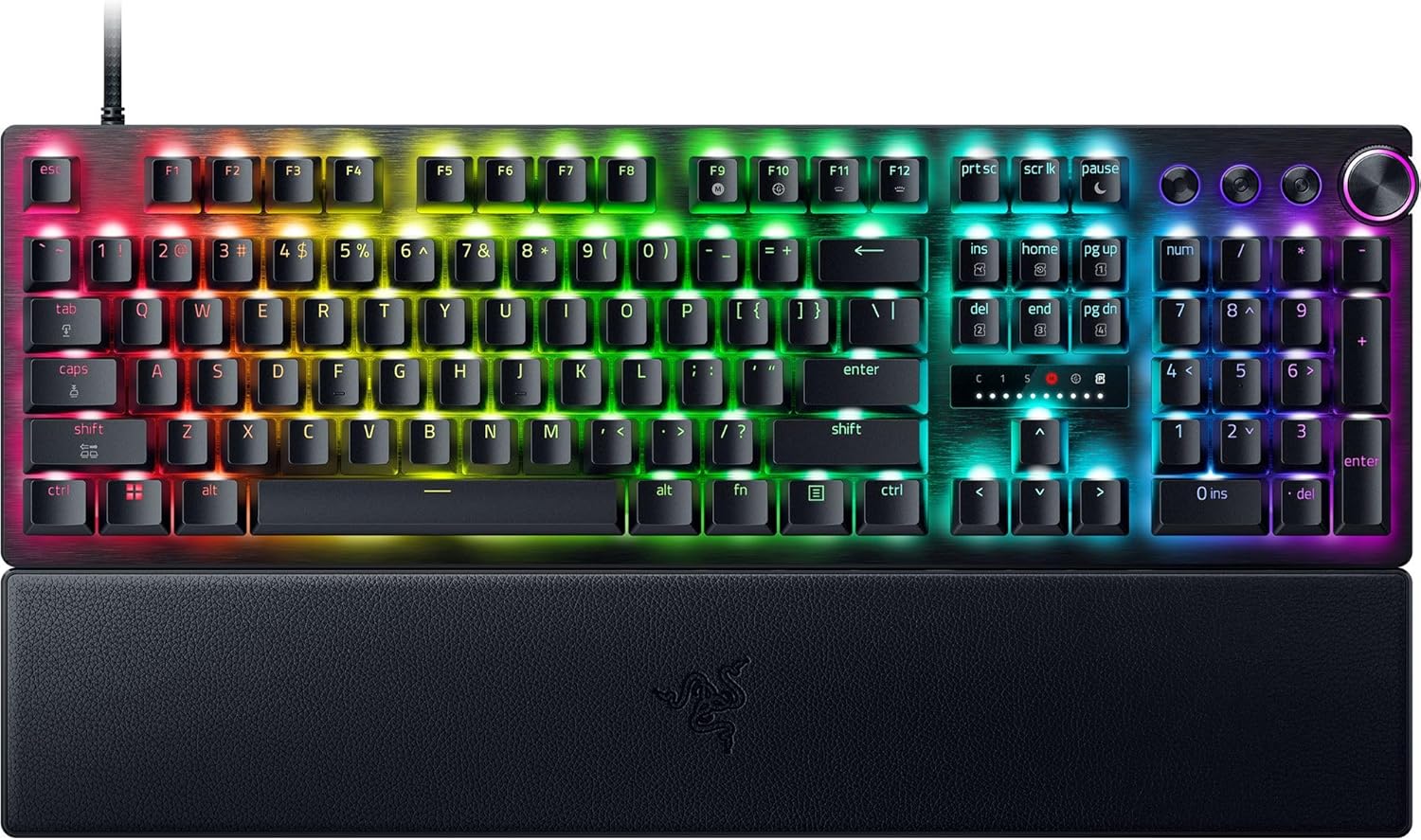
The ASUS ROG Azoth ships with pre-lubed PCB-mount stabilizers that are surprisingly good out of the box. The problem starts when enthusiasts pull them apart, wipe off ASUS's factory grease, and re-apply Krytox 205g0 unevenly. The Azoth's 6.25u spacebar wire is longer and thinner than the wires on a Keychron Q1 or GMMK Pro, so it flexes more on each press. That extra flex amplifies any unlubed contact point into an audible tick or metallic rattle.



Three failure modes account for roughly 95% of the rattles I see:
- Wire-to-housing tick — the bent ends of the wire scrape dry plastic inside the stem housing.
- Wire-to-stem ping — the straight middle section of the wire snaps against the underside of the spacebar's stem clip.
- Unseated clip rattle — one side of the wire popped out of its retention clip during reinstallation and is now bouncing loose.
Tools you'll need for the rog azoth spacebar stabilizer rattle fix
Keep this list short. You do not need a full modding kit:
- Krytox 205g0 (for stems) and Krytox XHT-BDZ or dielectric grease (for wire ends)
- A small precision brush, size 0 or smaller
- Two fabric band-aids (the cheap cloth kind, not waterproof)
- Scissors or a hobby knife
- The Azoth keycap puller and switch puller that came in the box
- Tweezers — magnetic if you have them
Step-by-step: the corrected lube and re-clip procedure
1. Pull the spacebar and inspect the stabilizer
Remove the spacebar keycap with the wire puller. Look at the stabilizer wire from the side. If either end is sitting above the housing clip rather than fully snapped into it, that is your rattle — no further diagnosis needed. Press the wire gently downward with tweezers until you hear a small click on both sides.
2. Remove the spacebar stems and clean them
Use the switch puller to lift each spacebar stem out of its housing. Wipe off all existing Krytox with a lint-free cloth. The factory or aftermarket grease has often been pushed into the wrong contact areas during installation, and starting from a clean surface is faster than guessing where it went wrong.
3. Apply the Holee mod band-aid
Cut a 4mm x 4mm square from the absorbent pad of a fabric band-aid. Stick one square onto the PCB directly underneath where each wire end will rest. This dampens the wire's downward impact and is the single most effective change you can make for Azoth-specific rattle. ASUS uses a slightly hollow PCB cavity under the stabs that resonates without this damping pad.
4. Lube the wire ends with dielectric grease, not Krytox
This is the step most guides get wrong. Krytox 205g0 is too thin for the Azoth's long spacebar wire — it wicks away from the wire bend within a week and the tick returns. Use a thicker dielectric grease or Krytox XHT-BDZ on the two bent corners of the wire and the very tips that sit in the housing clips. Apply a generous bead; excess will be squeezed out on first press and is harmless.
5. Lube the stems with 205g0
Apply 205g0 to the inside of each stem where it contacts the wire. A thin, even coat on the U-shaped channel is enough. Do not over-lube the outside of the stem or it will feel mushy.
6. Reinstall and test
Snap the stems back into the housings, confirm the wire still sits flush in both clips, and reinstall the spacebar. Press the spacebar at the center, then at each end. A correctly fixed Azoth spacebar should sound deeper and slightly muted, with zero metallic tick.
What if the rattle is still there?
If you have completed every step above and the rattle persists, the issue is not the stabilizer itself — it is one of three secondary causes:
- The gasket foam shifted. Open the Azoth case and check that the silicone foam under the PCB still sits flat. A bunched edge can cause a phantom rattle that sounds like it's coming from the spacebar.
- The keycap stem is cracked. ASUS's stock PBT spacebar has a known weak point at the center stem mount. If it cracked during removal, no amount of lube will silence it. Swap to a third-party 6.25u PBT spacebar.
- The wire is bent. If you straightened or flexed the wire during cleaning, replace it with a Durock V2 6.25u wire — they are inexpensive and a perfect fit.
Completing your Azoth gaming battlestation
Once your Azoth sounds the way it should, the next bottleneck in a competitive setup is usually the mouse. The Azoth's wireless 2.4GHz dongle plays nicely with most Logitech receivers as long as you space them apart by a few inches on the USB hub. Below are three picks that pair well with an Azoth in 2026, ranging from budget to flagship. For more pairings, see my guide to wireless mice that pair with mechanical keyboards.
Comparison: best gaming mice to pair with the ASUS ROG Azoth
| Mouse | Sensor / DPI | Weight | Wireless | Best for |
|---|---|---|---|---|
| Logitech G PRO X2 SUPERSTRIKE | HERO 2 / 44,000 DPI | ~60g | Lightspeed | Esports / FPS |
| Logitech G502 Lightspeed | HERO 25K | ~114g | Lightspeed | MMO / heavy palm grip |
| Logitech G305 Lightspeed | HERO / 12,000 DPI | ~99g | Lightspeed (AA) | Budget wireless |
Top pick: Logitech G PRO X2 SUPERSTRIKE
If you spent enough on an Azoth to be lubing the stabs, the G PRO X2 SUPERSTRIKE is the matching tier on the mouse side. It uses the new HERO 2 sensor with a 44K DPI ceiling and inductive optical switches that won't develop the double-click drift that plagued earlier G PRO models. At about 60 grams it feels weightless next to the Azoth's heft, which is exactly the balance you want on the desk. Check current price: Logitech G PRO X2 SUPERSTRIKE on Amazon.
Heavy-grip pick: Logitech G502 Lightspeed
For palm-grip users who like a substantial mouse to match the Azoth's chunky 75% layout, the G502 Lightspeed is still the standard. The HERO 25K sensor is overkill for most games, but the eleven programmable buttons are genuinely useful for productivity work between gaming sessions — and the Azoth's OLED screen plus G HUB make macro layering easy. See it here: Logitech G502 Lightspeed on Amazon.
Budget pick: Logitech G305 Lightspeed
If you blew the budget on the Azoth itself and a tub of 205g0, the G305 is the cheapest mouse that won't feel like a downgrade. It runs on a single AA battery for around 250 hours, uses the same Lightspeed wireless protocol as the flagship models, and tracks well enough for ranked play. Grab it here: Logitech G305 Lightspeed on Amazon.
Preventing the rattle from coming back
The Azoth's gasket-mounted plate flexes more than a tray-mount board, which means the stabilizers see slightly more vertical force on each press. Re-lubing the wire ends every 8–12 months is normal maintenance, not a sign of a defect. Two habits will extend the interval:
- Press the spacebar near its center. End-presses flex the wire more and accelerate grease migration.
- Never wash the wire in solvent. Naphtha and isopropyl alcohol will strip the dielectric grease overnight. Wipe with a dry cloth only.
For deeper dives into keyboard tuning, our gasket-mount tuning guide covers plate foam swaps, and the 2026 stabilizer lube comparison ranks every grease I tested this year against the Azoth's stock setup.
Frequently Asked Questions
Why does my ROG Azoth spacebar tick only on the right side after lubing?
A one-sided tick almost always means the wire end on that side is dry or unseated. Pop the spacebar, check whether the right wire end is fully clipped into its housing, and add a small amount of dielectric grease to the bent corner. ASUS's factory clip tension is slightly asymmetric, so the right side is statistically more likely to back out during reassembly.
Can I use Krytox 205g0 alone on Azoth stabilizers?
You can, but it is not ideal. 205g0 is formulated for switch stems and is too thin to stay put on the long 6.25u wire bends. It will silence the rattle for a few days, then migrate and let the tick return. Pair it with a thicker grease or XHT-BDZ on the wire ends for results that last through 2026 and beyond.
Is the Holee band-aid mod safe on the Azoth PCB?
Yes. The fabric pad sits on the PCB surface under the stabilizer wire, well away from any contacts. The adhesive is not aggressive enough to damage the soldermask, and ASUS's own modding community has used the mod since the original Azoth launch in 2023 without reported issues.
Should I replace the Azoth stabilizers with Durock or Cherry clip-ins?
Only if you have already tried re-clipping, the band-aid mod, and proper grease. The factory ASUS stabilizers are screw-in and perform well once tuned. If you do swap, Durock V2 PCB-mount screw-ins are a drop-in replacement and arrive pre-lubed from most vendors.
How long does the lube job last before the rattle returns?
With dielectric grease on the wire ends, expect 8–12 months of typing before any audible degradation. With 205g0 alone, you may hear a faint tick return within 4–6 weeks. Heavy gamers who slap the spacebar in FPS titles will be on the shorter end of those ranges.
Does the Azoth Extreme have the same stabilizer rattle problem?
The 2024 Azoth Extreme uses an upgraded stabilizer housing with tighter clip tolerances, so out-of-box rattle is rarer. However, the same lube migration problem applies if you re-lube with thin grease. The fix procedure above works identically on both models.
Can I prevent the rattle by just not lubing the stabilizers at all?
Yes — the Azoth's factory pre-lube is genuinely good and many owners are happy leaving it stock. The rattle problem is largely self-inflicted by aggressive re-lubing. If your stock Azoth sounds fine, leave the stabilizers alone and only re-lube if you hear a tick develop after months of use.
Key Takeaways
- Choosing the right rog azoth spacebar stabilizer rattle fix means matching capacity and output ports to your actual devices
- Always check actual watt-hours (Wh), not just watts — runtime depends on Wh, not peak output
- Also covers: azoth stabilizer tuning guide
- Also covers: fix rog azoth spacebar ping
- Also covers: azoth lube stabilizer rattle still
- Compare price-per-Wh across models to find the best value for your budget