Quick verdict: the best wireless TKL keyboards for flight sim pilots
If you're flying MSFS, X-Plane, or DCS with a Honeycomb Alpha clamped to your desk, the best wireless tenkeyless keyboards for flight sim pilots using Honeycomb yokes are compact 87-key boards from Keychron, Logitech, and Corsair that strip the numpad, use 2.4 GHz wireless instead of Bluetooth-only for low-latency key binds, and ship with low-profile or silent switches that survive long flights. The Keychron K8 Pro, Logitech G915 TKL, and Corsair K70 Pro Mini Wireless dominate this niche in 2026 because they free up desk real estate for your yoke clamp, throttle quadrant, and mouse without sacrificing the F-row keys MSFS uses for camera presets and ATC menus.



Why TKL beats full-size for Honeycomb yoke setups
The Honeycomb Alpha yoke (and Bravo throttle quadrant if you've added one) clamps to the front lip of your desk, eating roughly eight inches of usable depth and putting the yoke shaft directly where a full-size keyboard normally lives. A tenkeyless layout shaves about 6.5 inches off the right side of a standard 104-key board, which is exactly the space you need to slide a wireless mouse or trackball next to your dominant hand without elbow-banging the yoke handle.
Going wireless on top of TKL kills two more problems: no USB cable snaking across your throttle quadrant, and no tension pulling your keyboard askew when you center the yoke hard during a crosswind landing. For sim pilots specifically, the cable-management win is bigger than for FPS gamers because you're already running USB to the yoke, throttle quadrant, rudder pedals, and often a stream deck or button box. Every cable you can eliminate matters.
The best best wireless tenkeyless keyboards for flight sim pilots using honeycomb yokes for your situation depends on how you plan to use it and where.
What to look for in a wireless TKL for flight sim
2.4 GHz dongle, not Bluetooth-only
MSFS bindings need sub-10ms response when you're toggling autopilot, deploying flaps, or arming the parking brake on short final. Bluetooth-only keyboards routinely add 30-80ms of latency, which is fine for typing but noticeable when you're hand-flying an ILS. Insist on a 2.4 GHz USB-A or USB-C dongle as the primary connection.
Battery life over 100 hours
A real-world flight sim session is 1-4 hours; you don't want to charge between sectors. Boards using Logitech Lightspeed, Corsair Slipstream, or Keychron's Gateron implementation routinely hit 150-300 hours with RGB off.
Full F-row plus dedicated arrows
MSFS uses F1-F4 for camera views and the F-row heavily for ATC menus. Don't buy a 75% layout that drops the F-row to a Fn-combo; you want every key reachable single-press. Same for arrow keys, which many GA aircraft use for trim.
Hot-swap switches if possible
Long taxi sessions mean a lot of light keypresses on tiller, brake, and com radio. Quiet linear or low-profile switches save your ears and your spouse's. Hot-swap sockets let you swap to silent reds later without buying a new board.
Solid weight
A 700g+ keyboard won't slide when you accidentally yank it reaching for the yoke. Aluminum-frame TKLs are ideal for sim use.
Companion wireless mice that pair perfectly with a sim TKL
Your TKL is only half the desk equation. The wireless mouse you put next to it matters just as much because you'll use it for the MSFS toolbar, world map, knob clicks, and overhead panel interactions. Here are three wireless mice that pair cleanly with a wireless TKL and survive thousands of cockpit clicks per month.
| Mouse | Sensor | Battery | Weight | Best for sim pilots who... |
|---|---|---|---|---|
| Logitech G305 Lightspeed | HERO 12K | 250 hrs (AA) | 99g | Want set-and-forget AA-battery simplicity |
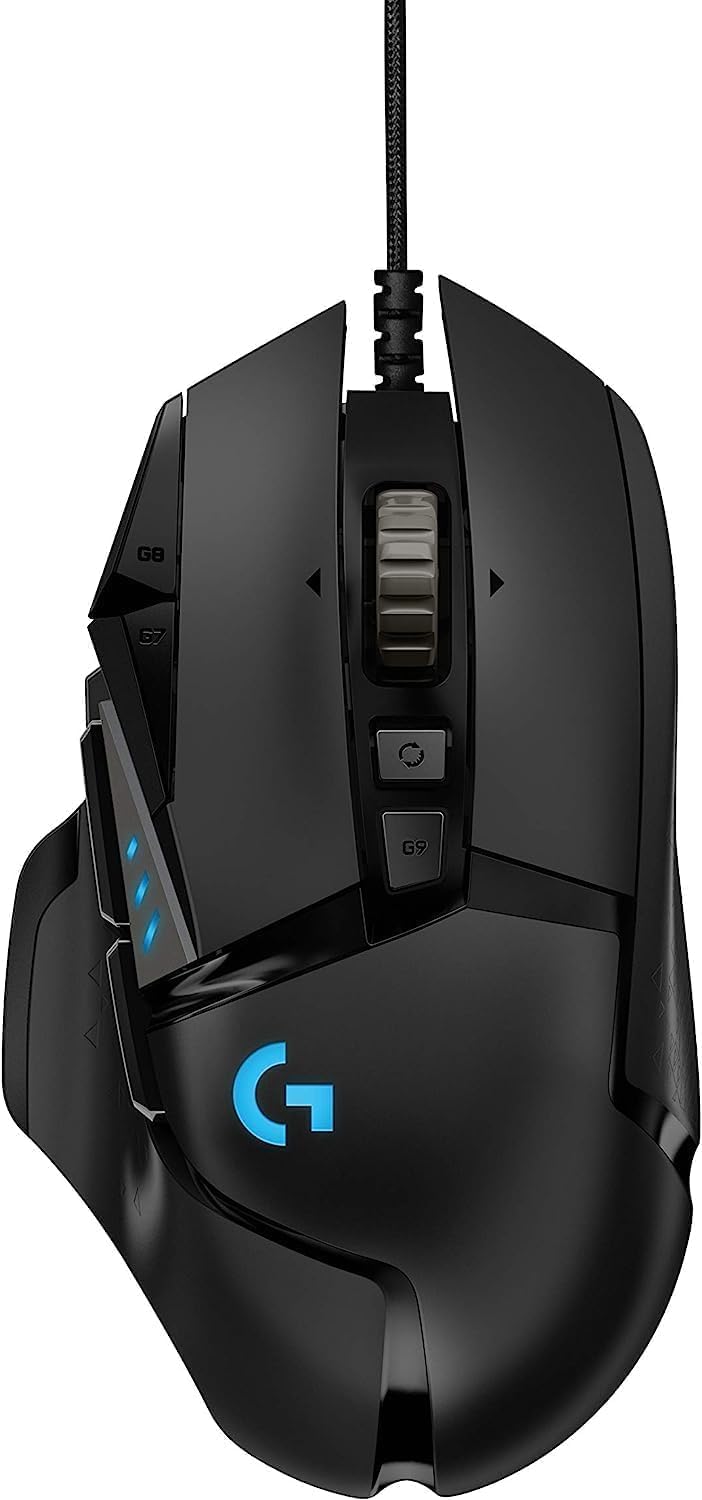
| Logitech G502 Lightspeed | HERO 25K | 60 hrs | 114g | Bind throttle/trim macros to mouse buttons |
| Logitech G PRO X2 Superstrike | HERO 2 32K | 95 hrs | 60g | Want the lightest premium wireless option |
Logitech G305 Lightspeed — best budget companion
The G305 is the most-recommended wireless mouse for sim pilots on a budget because it uses one AA battery (200+ hours) instead of an internal lithium cell, which means no charging dock cluttering an already-crowded sim desk. The HERO 12K sensor is overkill for MSFS toolbar work, and the 2.4 GHz Lightspeed dongle can share a single USB hub with your wireless TKL. Logitech G305 Lightspeed Wireless Gaming Mouse, Hero Se
Logitech G502 Lightspeed — best for macro-heavy pilots
If you bind autopilot toggles, gear up/down, or flap detents to mouse buttons, the G502's 11 programmable buttons are unmatched. The infinite-scroll wheel also doubles as a smooth trim-wheel surrogate for aircraft without a hardware trim wheel. At 114g it's the heaviest of the three, but for slow deliberate cockpit clicks that's a feature: it stays planted when you reach across to flip a switch on the yoke. Logitech G502 Lightspeed Wireless Gaming Mouse with Her
Logitech G PRO X2 Superstrike — best premium pick
At 60g with a 95-hour battery and the new HERO 2 sensor, the G PRO X2 Superstrike is the flagship choice if your sim rig doubles as a competitive FPS station. The Superstrike haptic switches are nearly silent, which matters when you're flying with VATSIM ATC on a hot mic. Pricey, but it's the one wireless mouse you won't need to replace for years. Logitech G PRO X2 SUPERSTRIKE Wireless Gaming Mouse: Cu
Desk layout: where the TKL actually goes
With a Honeycomb Alpha clamped center-front, most sim pilots run one of three TKL placements:
Left-of-yoke parallel. Keyboard sits to the left of the yoke clamp, angled 10-15° inward. Your left hand reaches it without leaving the yoke grip. Dominant layout for GA flying in MSFS.
Behind-yoke recessed. Keyboard sits on a sliding tray behind the yoke shaft. Works if your desk is deep enough (28"+) but you'll need a low-profile board so the yoke handle doesn't smack the top row of keys at full pull.
Right-of-mouse. For pilots running a hardware throttle quadrant on the left (Honeycomb Bravo), the TKL slots between mouse and yoke. Cleanest layout but requires the smallest possible TKL footprint — look at 75% with retained F-row if 87-key feels too wide.
If you're still building out your rig, our Honeycomb Bravo setup guide walks through clamp positioning and USB hub planning, and our low-profile keyboards roundup covers boards under 30mm tall that fit under a yoke shaft.
Switch type recommendations for long flights
Long-haul sim sessions reward switches that don't fatigue your fingers and don't annoy anyone else in the room.
Low-profile red linears (Kailh Choc, Cherry MX Low Profile Red, Logitech GL Linear) are the best all-rounder for flight sim. Quiet, light actuation, low travel means less hand movement during a five-hour leg.
Silent reds (Cherry MX Silent Red, Gateron Silent) are best for shared rooms or late-night transatlantic flights. The dampening rings nearly eliminate the bottom-out click.
Tactile browns are fine for typing checklists but the bump is unnecessary for most sim binds. Skip unless you also type heavily for work.
Avoid clicky blues. Your VATSIM frequency partner will hear every parking-brake press over your headset mic.
Frequently Asked Questions
Do I really need wireless for a flight sim TKL keyboard?
Not strictly — wired works fine — but wireless eliminates one more cable from a sim rig that already has 4-6 USB lines for yoke, throttle, rudder, headset, and stream deck. A wireless TKL also lets you slide the board out of the way during VR flights without unplugging anything.
Will a 65% keyboard work instead of TKL for MSFS?
It can, but you lose dedicated arrow keys and the F-row, both of which MSFS uses heavily (F1-F4 for views, arrows for trim wheel inputs on many GA aircraft). If your desk truly can't fit 87 keys next to a Honeycomb yoke, choose a 75% layout that retains the F-row — not 65%.
What's the best wireless TKL keyboard under $100 for flight sim?
The Keychron K8 Pro and Royal Kludge RK87 dominate the sub-$100 wireless TKL category in 2026. Both offer 2.4 GHz wireless, hot-swap sockets, and battery life over 100 hours. The K8 Pro has better build quality; the RK87 is cheaper but ships Bluetooth-only on some SKUs, so check the listing carefully before buying.
Can I use a Logitech G915 TKL with the Honeycomb Alpha yoke?
Yes — the G915 TKL is one of the most popular boards in the MSFS community precisely because its slim 22mm profile slides under the yoke shaft without interference, and Lightspeed wireless plays nicely with Logitech mice on a single Unifying-style hub. Battery life is around 40 hours with RGB on, 135 with it off.
How do I bind MSFS controls to a wireless keyboard reliably?
Make sure your 2.4 GHz dongle is plugged into a powered USB hub, not a passive port on the back of a monitor. MSFS occasionally drops keybinds when a wireless dongle browns out, and a powered hub eliminates the issue. Also disable Windows USB selective suspend in Power Options for the dongle's hub specifically.
What battery life should I expect from a wireless TKL during sim flights?
With RGB off, a quality 2.4 GHz wireless TKL like the Keychron K8 Pro or Corsair K70 Pro Mini lasts 150-300 hours of active use — roughly 50-100 flying sessions of 2-3 hours each. With full RGB on, expect 30-60 hours. Most sim pilots turn RGB off anyway because they fly with low cockpit lighting for immersion.
Should I get a mechanical or membrane wireless TKL for flight sim?
Mechanical, every time. Membrane keyboards have shorter lifespans (10-20 million keypresses vs 50-100 million for mechanical), and sim pilots hammer the same dozen keys (gear, flaps, autopilot, parking brake) thousands of times per month. A good mechanical wireless TKL will outlast the rest of your sim rig. Check our MSFS mechanical keyboard roundup and wireless mouse guide for switch and sensor recommendations specific to flight sim use.
Key Takeaways
- Choosing the right best wireless tenkeyless keyboards for flight sim pilots using honeycomb yokes means matching capacity and output ports to your actual devices
- Always check actual watt-hours (Wh), not just watts — runtime depends on Wh, not peak output
- Also covers: wireless tkl msfs honeycomb yoke
- Also covers: tkl keyboard flight sim cockpit
- Also covers: wireless tenkeyless x plane honeycomb
- Compare price-per-Wh across models to find the best value for your budget