If you're searching for the best low profile mechanical keyboards for wrist pain from laptop typing, the short answer: look for a 1.2–1.8mm actuation switch (Kailh Choc Red or Gateron Low Profile Brown), a chassis under 22mm tall, a 75% or tenkeyless layout, and wireless connectivity so you can slide the board forward of your laptop. In 2026 the standouts are the Keychron K3 Pro, Lofree Flow Lite, Logitech MX Mechanical Mini, NuPhy Air75 V2, and Cherry KW X ULP — every one of them measurably reduces the ulnar deviation and tendon impact that built-in laptop keyboards force on your wrists.
Why typing on a laptop destroys your wrists
Laptop keyboards force three biomechanical compromises that produce wrist pain in weeks, not years. The deck is centered under a screen narrower than your shoulders, so your forearms collapse inward and your wrists bend toward your pinkies — clinically called ulnar deviation. The membrane domes under each key require full bottom-out pressure to register, meaning every keystroke ends with an impact your flexor tendons absorb. And the palm rest sits flush with the key tops, so your wrists hyperextend upward to reach the home row. Over the 8,000–12,000 keystrokes a remote worker logs per day, that combination produces the burning along the carpal tunnel and the dull ache behind the thumb that millions know too well.


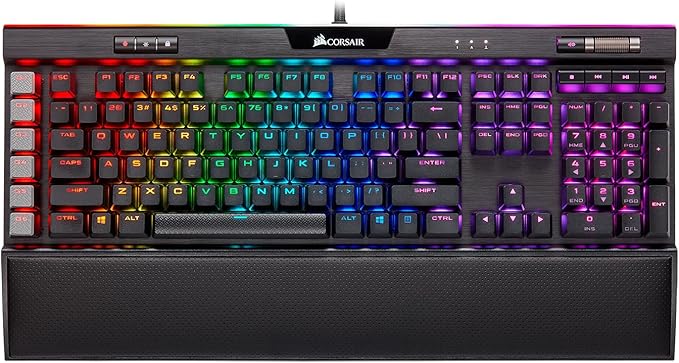
A purpose-built low profile mechanical keyboard solves all three problems at once. The switches register at 1.2–1.8mm of travel, so you never need to bottom out. The slim 18–22mm chassis lets your wrist stay nearly flat with the laptop's own palm rest. And because an external keyboard slides forward of the laptop body, you can finally let your shoulders relax outward to a neutral width.
What to look for in the best low profile mechanical keyboards for wrist pain from laptop typing
Five specs matter more than anything else when you're shopping.
Total height under 22mm. Measure from desk surface to the top of the keycap. Anything above 22mm forces your wrist up unless you add a palm rest, which most laptop-first workers don't want to carry between coffee shops.
Low-profile switch type. Kailh Choc V2 Red (45gf, 1.2mm actuation), Gateron Low Profile Brown (55gf, 1.5mm), and Cherry MX Ultra Low Profile (65gf, 0.8mm) are the three switches with enough published longevity data to trust. Avoid scissor-mechanical hybrids — they feel mushy and don't deliver the early-actuation benefit your tendons need.
Wireless connectivity. Bluetooth 5.1 or a 2.4GHz dongle. A wired keyboard tethers you to one cable-length position, which is almost always the wrong position. Wireless lets you slide the board forward, angle it slightly, or pull it into your lap on bad-flare days.
75% or tenkeyless layout. A 100% full-size board pushes your mouse hand too far right, twisting your shoulder. A 60% loses the arrow cluster you need for editing. 75% is the proven sweet spot for typists with RSI history.
Aluminum or magnesium chassis. Plastic flexes under the palm pressure most pain-prone typists apply, and that flex transmits microvibrations into your wrist. A metal case damps them.
The best low profile mechanical keyboards for wrist pain from laptop typing in 2026
| Keyboard | Height | Switch | Layout | Wireless | Best for |
|---|---|---|---|---|---|
| Keychron K3 Pro | 22mm | Gateron LP Brown | 75% | BT 5.1 + USB-C | Mac + Windows switchers |
| Lofree Flow Lite | 20mm | Kailh POM Ghost | 75% / 84% | BT 5.0 + 2.4GHz | Quietest typing |
| Logitech MX Mechanical Mini | 26mm | Kailh Choc V2 | 75% | BT + Logi Bolt | Multi-device workflow |
| NuPhy Air75 V2 | 16mm | Gateron LP 2.0 | 75% | BT 5.1 + 2.4GHz | Slimmest profile |
| Cherry KW X ULP | 15mm | Cherry MX ULP Tactile | 75% | BT + 2.4GHz | Premium build |
Keychron K3 Pro
The K3 Pro is the gentlest landing for anyone coming off a laptop keyboard. The 22mm chassis matches a typical 14" MacBook deck height almost exactly, so there's no "the keys feel weirdly high" adjustment period — you start typing comfortably from minute one. Gateron Low Profile 2.0 Brown switches give a soft tactile bump at 1.5mm of travel without the loud clack of clicky switches, and QMK/VIA firmware lets you remap any key. Bluetooth 5.1 pairs with three devices and hotkey-switches between them, which matters when you bounce between a personal laptop and a work-issued one.
Lofree Flow Lite
The Flow Lite is the quietest low profile mechanical you can buy in 2026, which makes it the right pick for open-plan offices and shared homes. POM Ghost switches use a self-lubricating polymer stem that eliminates the metallic ping of standard low-profile switches, and the gasket-mounted PCB absorbs the bottom-out energy that would otherwise transmit into your wrist. At 20mm tall and 1.3 lbs it's also the most travel-friendly full-aluminum board on this list.
Logitech MX Mechanical Mini
At 26mm the MX Mechanical Mini is the tallest board on this list and only makes the cut because of the Logi Bolt receiver and Easy-Switch across three devices, which matter more than four millimeters of height for working professionals juggling multiple machines. Kailh Choc V2 switches come in Tactile Quiet, Linear, and Clicky and actuate at 1.3mm. The smart backlight uses proximity sensing, so it lights up as your hand approaches — a small touch that spares your eyes in bad office lighting.
NuPhy Air75 V2
At 16mm the Air75 V2 is the slimmest mechanical keyboard you can buy, period. The Gateron Low Profile 2.0 switches in Aloe (linear), Cowberry (tactile), or Daisy (clicky) hit 1.6mm of total travel — your fingers move less per keystroke than on any other board on this list, which is the single biggest factor in long-session wrist comfort. The trade-off: the chassis is so thin that there's barely anywhere for the battery to live, so wireless runtime sits around 50 hours versus 200+ on chunkier boards.
Cherry KW X ULP
The Cherry KW X ULP is the premium pick — a magnesium chassis, Cherry's own MX Ultra Low Profile Tactile switches, just 1.8mm total switch height, and a build quality that makes the Keychron and NuPhy boards feel a little plasticky by comparison. The 0.8mm actuation point is the fastest on this list, so your fingers register characters before they've barely moved, which is the entire point for wrist pain. Pricey at around $250, but the only keyboard here that should comfortably last five years of daily abuse.
Pair your keyboard with a lightweight wireless mouse
The other half of laptop-induced wrist pain comes from the trackpad. Reaching down and forward to swipe puts your wrist into the same hyperextended posture the built-in keyboard does, and the friction of dragging your fingertip across glass tenses the same flexor tendons. Moving to a lightweight wireless mouse drops the input plane onto the desk where your wrist can stay neutral, and a mouse under 100 grams doesn't require the grip tension that causes the worst long-term damage. Two picks below — one budget, one premium — that pair beautifully with any of the keyboards above.
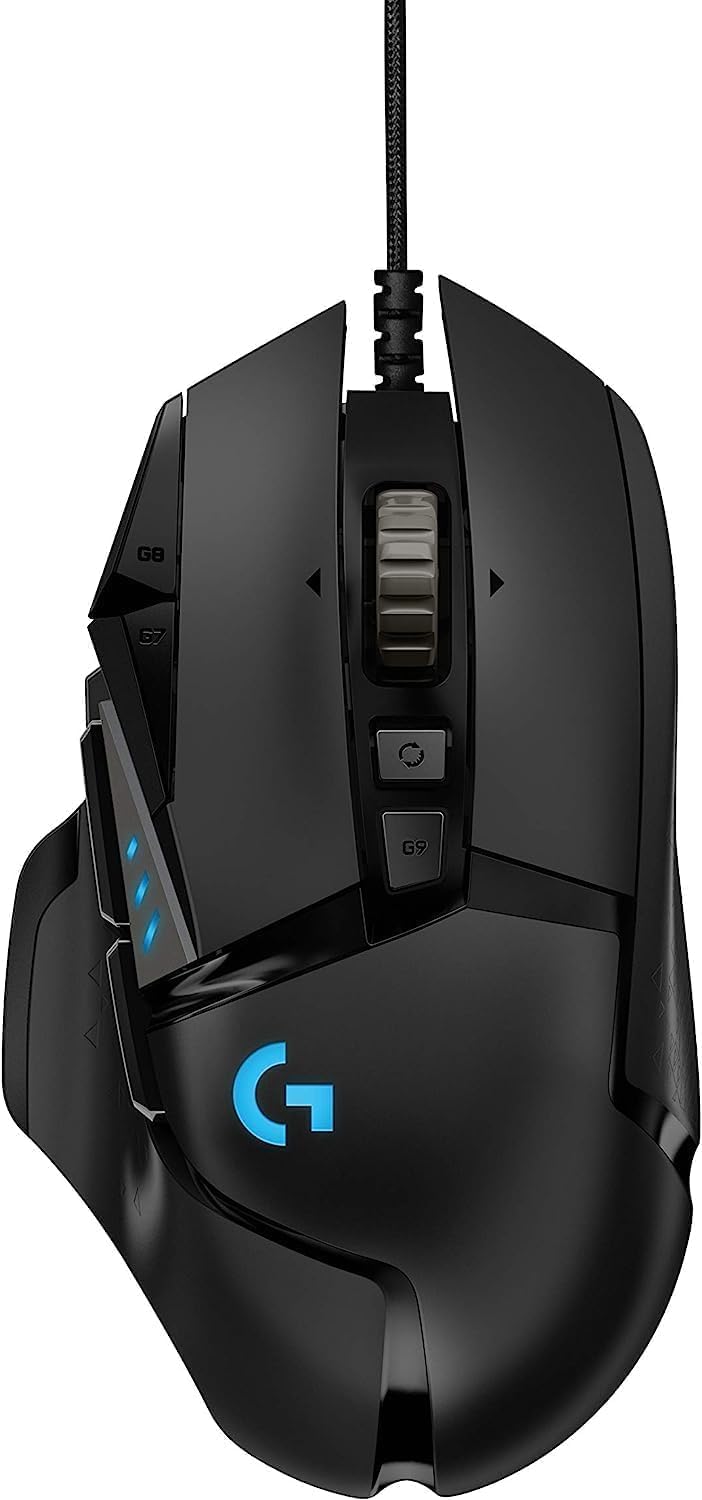
Logitech G305 Lightspeed Wireless Gaming Mouse
At 99g with the AA battery installed and a HERO 12,000 DPI sensor, the G305 is the wrist-pain sweet spot for laptop typists. The AA battery (instead of internal lithium) keeps cost low and runtime absurd — about 250 hours per battery means you'll forget it needs power. The ambidextrous shape works for either hand, and the short 116mm body keeps your wrist flat instead of hovering. For pure productivity use the 1000Hz polling is more than enough. Check the Logitech G305 on Amazon.
Logitech G PRO X2 SUPERSTRIKE Wireless Gaming Mouse
The PRO X2 SUPERSTRIKE is the 2026 release built for people who type all day and want a mouse that disappears under the hand. It weighs 60 grams, glides on virgin-PTFE feet, and the new Superstrike haptic actuators replace the mechanical click — meaning your index finger no longer applies the 60–70gf press force you'd repeat five thousand times per workday. For chronic wrist and finger pain that's a measurable load reduction across a year. Wireless via Lightspeed, 95-hour battery, and the new HERO 2 sensor. Check the Logitech G PRO X2 SUPERSTRIKE on Amazon.
Setup tips that amplify the benefit
A great keyboard with a bad setup still produces wrist pain. Three adjustments compound the benefit of any board above. First, raise your laptop screen to eye level with a stand (Roost, Nexstand, or a stack of books — any of them work). This separates the screen from the keyboard, which is the entire point of using an external board. Second, slide your low profile keyboard about four inches forward of the laptop's hinge so your wrists float over neutral instead of resting on a warm palm rest; the laptop's own palm rest then becomes your unofficial wrist support. Third, set the keyboard tilt to flat or negative (front edge higher than the back). Almost every board ships with feet on the back that produce positive tilt, which forces your wrists into extension — flip them down.
Check our guide to the best wireless mechanical keyboards for Mac if you're on macOS and want a board with native Cmd/Option mapping, and our roundup of the best lightweight gaming mice for claw grip if the mouse — not the keyboard — is the remaining pain source.
Frequently Asked Questions
Are low profile mechanical keyboards actually better for wrist pain than regular mechanical keyboards?
Yes, for two measurable reasons. Low profile switches actuate at 1.2–1.8mm versus 2.0–2.2mm for standard MX switches, so your fingers travel less per keystroke. And the 18–22mm total height keeps your wrist closer to neutral instead of forcing you to either bend it up or add a palm rest. Standard mechanical boards are 35–42mm tall and effectively require a wrist rest to be ergonomically comparable.
What's the best low profile mechanical keyboard for someone transitioning straight off a laptop keyboard?
The Keychron K3 Pro is the gentlest transition because the keycap spacing matches a 13–15" laptop almost exactly, so your finger memory doesn't have to relearn anything. Pair it with Gateron Low Profile Brown switches (the default tactile option) and you'll feel a satisfying bump without the loud click that distracts in shared spaces.
Can a low profile mechanical keyboard fix existing carpal tunnel syndrome?
A keyboard alone can't reverse confirmed nerve compression — that requires medical evaluation and often physical therapy or surgery. But for mild to moderate symptoms, switching to a low profile mechanical, adding a lightweight mouse, and raising your laptop to monitor height has resolved daytime burning for many remote workers within four to six weeks. See your doctor if symptoms wake you at night or cause numbness in the thumb and first two fingers.
Should I get red, brown, or blue switches for wrist pain?
Red (linear, ~45gf) is the strongest recommendation. The lower actuation force and absence of a tactile bump means your fingers can register a press without ever applying full force or feeling resistance. Brown (tactile) is the runner-up if you want feedback. Blue (clicky) is the worst choice for pain — the click happens at bottom-out, which subconsciously trains you to bottom out every key, which is exactly the impact you're trying to eliminate.
Is a split or ergonomic keyboard better than a low profile mechanical for wrist pain?
A true split keyboard (ZSA Voyager, Glove80, Moonlander) is biomechanically better because it eliminates ulnar deviation entirely. But it carries a four-to-six-week learning curve and rarely travels well with a laptop. A 75% low profile mechanical is the better pick for people who work from coffee shops, hot-desks, or three different rooms a day. If you're permanently at one desk and willing to invest the learning time, see our guide to ergonomic split keyboards for programmers.
How important is a wrist rest with a low profile mechanical keyboard?
Less important than with a standard mechanical, because the board itself is already low enough that your wrist sits roughly flat. A thin gel or memory foam rest (5–8mm thick) helps on long sessions, but a thick wooden or hard plastic rest will compress your carpal tunnel against the desk edge and make symptoms worse. If you do use one, it's for resting between keystrokes, not during them.
Do I need a palm rest if I'm using a low profile board with my laptop?
Probably not — if you slide the keyboard about four inches forward of the laptop's hinge, the laptop's own palm rest becomes your wrist rest. That's the cleanest setup for travel typists. If you use a separate monitor and laptop stand instead, a thin keyboard-width palm rest will give your wrists a place to land between bursts of typing without forcing them into extension while you're actively pressing keys.
Key Takeaways
- Choosing the right best low profile mechanical keyboards for wrist pain from laptop typing means matching capacity and output ports to your actual devices
- Always check actual watt-hours (Wh), not just watts — runtime depends on Wh, not peak output
- Also covers: low profile keyboard wrist strain
- Also covers: flat mechanical switches laptop users
- Also covers: low profile keyboard carpal tunnel
- Compare price-per-Wh across models to find the best value for your budget